Vertical Wave Timeline Diagram Presentation Template for PowerPoint, Canva & Google Slides
Download the template for PowerPoint, Google Slides or Canva with just one click
Timeline Diagram Presentation Template and Slides for Roadmaps & Progress
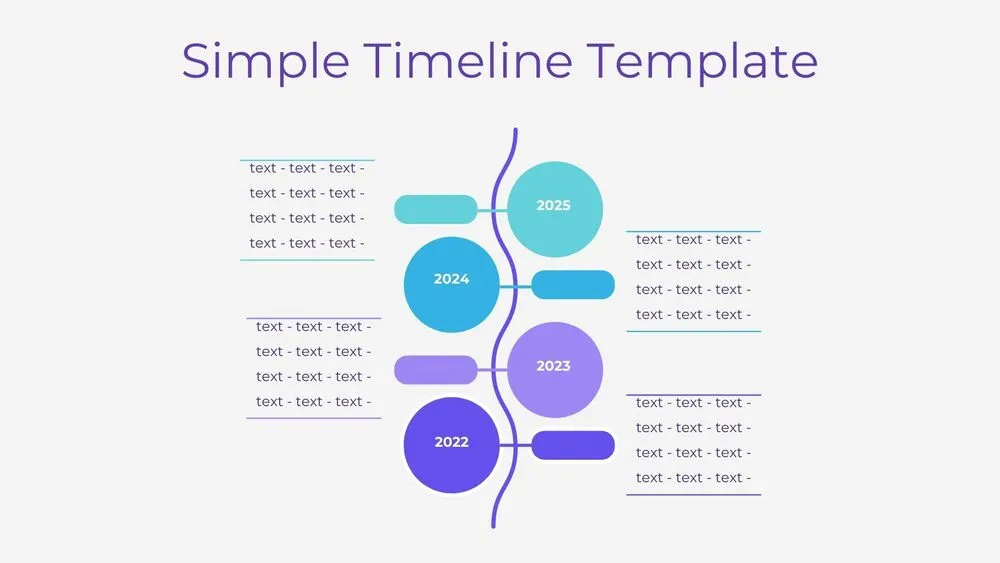
A gently undulating vertical line anchors four circular nodes, each with its own date and text block. Blue-purple accents feel modern yet professional. Use it when space is tight or when milestones align naturally in a top-down narrative. Ideal for research studies, onboarding, and compliance schedules. Compact and scannable.
- 🔷 Vertical wave connector with four milestones
- 🏷️ Titles and dates placed for quick reading
- 🧭 Great for roadmaps, releases and documentation timelines
- 🧑💼 Perfect for one-pager updates and posters
- ✍️ Easy to duplicate nodes for longer sequences
- 🖨️ Optimized for print and slides
- 🖥️ Works in PowerPoint, Canva and Google Slides (presentation template)
Edit fonts, colors, and images effortlessly using Canva’s drag-and-drop editor. Access free elements, illustrations, and fonts to personalize each slide your way.
📌 Frequently Asked Questions
Click on the Google Slides button, then select “Make a copy” when prompted. This will create a copy of the template in your Google Drive, ready to edit and use in Google Slides.
Simply download the file, then open Canva and drag the downloaded file into your desired folder. Once uploaded, it’s ready to be edited just like any other Canva project.