Creative Timeline Roadmap Presentation Template for PowerPoint, Canva, and Google Slides
Download the template for PowerPoint, Google Slides or Canva with just one click
Creative Timeline Presentation Template and Slides for Roadmaps, Milestones, Project Planning, and Visual Presentations
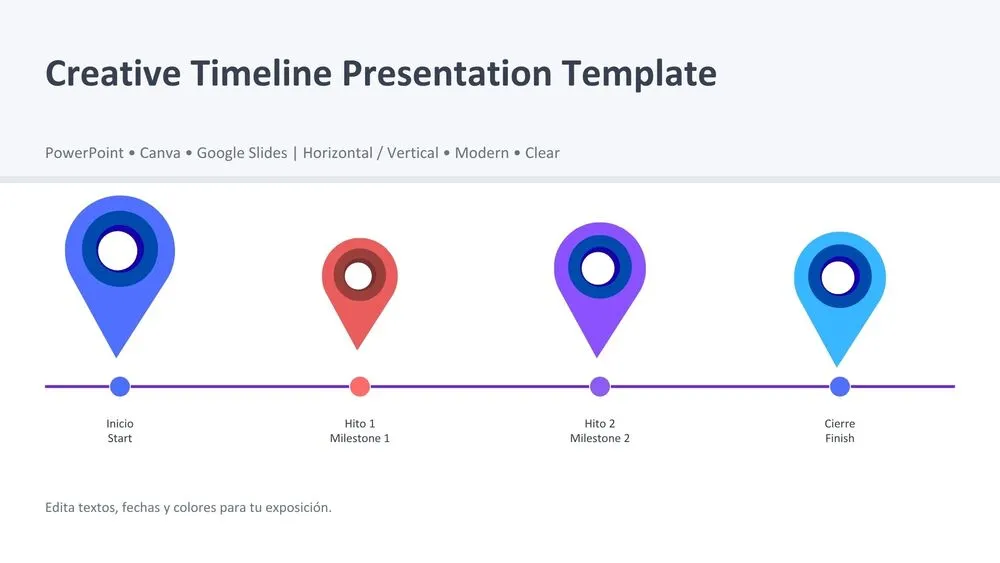
This creative timeline presentation template is designed to turn schedules, milestones, and step-by-step plans into clear visual stories. It combines clean white and soft gray backgrounds with bold timeline accents in purple, navy blue, light blue, and soft red for a colorful but professional look. The layout includes horizontal timelines, year milestones, vertical timelines, stacked timeline structures, a quarterly roadmap, and a zigzag timeline for more dynamic storytelling.
Editing guide slides make it especially useful for users who want a template that is easy to customize, present, and adapt for different projects. It works well for business planning, project reporting, educational presentations, and any presentation that needs to explain progress over time.
- 🗓️ Includes 10 editable slides for timelines, milestones, roadmap planning, and presentation support
- 🎨 Colorful timeline design with purple, navy, light blue, and soft red accents on clean backgrounds
- 📍 Creative marker-style timeline points that make dates, phases, and events easier to follow
- 📈 Multiple layouts including horizontal, vertical, stacked, quarterly roadmap, and zigzag timeline formats
- 🧩 Designed for project planning, business roadmaps, academic presentations, and strategy overviews
- ✍️ Includes editing guidance slides to help users customize colors, content, and style quickly
- 🌐 Fully editable in PowerPoint, Canva, and Google Slides for flexible presentation workflows
- 🙌 Ends with a thank-you and Q&A slide for polished final delivery in meetings or class presentations
Edit fonts, colors, and images effortlessly using Canva’s drag-and-drop editor. Access free elements, illustrations, and fonts to personalize each slide your way.
📌 Frequently Asked Questions
Click on the Google Slides button, then select “Make a copy” when prompted. This will create a copy of the template in your Google Drive, ready to edit and use in Google Slides.
Simply download the file, then open Canva and drag the downloaded file into your desired folder. Once uploaded, it’s ready to be edited just like any other Canva project.